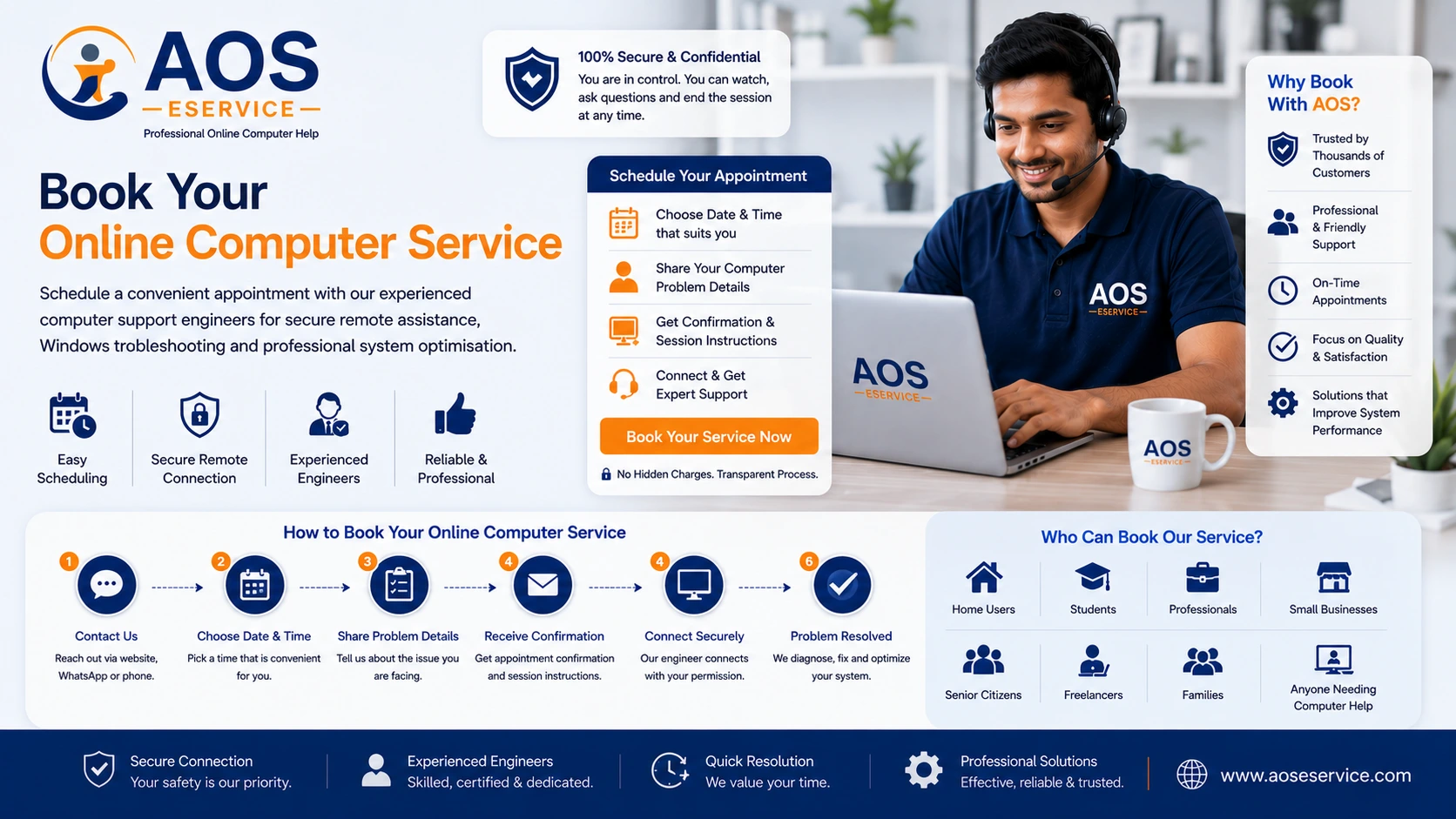
Book Professional Online Computer Service with Confidence
Booking professional computer support should be simple, transparent and convenient. At AOS Computer Help, we have designed our online service process to make it easy for individuals, families, professionals and small businesses to receive expert technical assistance without travelling to a repair centre. From your initial enquiry through to the completion of your remote support session, every stage is planned to ensure clear communication, reliable scheduling and professional service.
Unlike traditional computer repair services where your device may remain at a workshop for several days, our online support model allows many software-related problems to be diagnosed and resolved while your computer stays safely with you. Our engineers connect securely through approved remote support software, enabling you to observe every stage of the troubleshooting process from your own home or office.
Whether your computer has become unusually slow, Windows is behaving unexpectedly, software is failing to function correctly or you simply need professional guidance before making technical decisions, booking an appointment with AOS Computer Help is the first step towards a practical and efficient solution.
This page explains exactly how appointments are scheduled, what you should expect before your session begins and how our engineers work with you throughout the entire support process.
Why Schedule an Online Service Appointment?
Many computer users wait until a minor software problem develops into a much larger issue before seeking professional assistance. Delaying technical support often leads to unnecessary frustration, reduced productivity and additional time spent trying solutions that may not address the real cause of the problem.
By scheduling an online appointment, you gain access to experienced technical professionals who can evaluate your computer systematically and recommend the most appropriate course of action. Rather than relying on generic advice from internet forums or random software utilities, you receive guidance based on the actual condition of your own computer.
An organised appointment also allows sufficient time for diagnosis, discussion and optimisation without rushing the process. Since every computer has a different configuration and history, allocating dedicated time ensures that your engineer can focus entirely on understanding your specific requirements.
Another benefit of scheduled appointments is convenience. You can arrange a suitable date and time that fits your personal routine, allowing technical support to be delivered without interrupting your daily responsibilities more than necessary.
Who Can Book Our Online Computer Service?
Our online support service is suitable for a wide range of Windows computer users who require professional assistance with software-related issues. Whether you use your computer for work, education, communication or personal projects, our engineers aim to provide practical solutions that improve reliability and performance.
Customers who commonly benefit from our services include:
- Home computer users experiencing slow system performance.
- Students requiring reliable laptops for online learning and assignments.
- Teachers and educators who depend on stable computer systems.
- Office professionals working from home or corporate environments.
- Freelancers who rely on uninterrupted computer performance.
- Small business owners managing day-to-day operations.
- Senior citizens seeking patient technical guidance.
- Families sharing computers among multiple users.
- Independent consultants requiring dependable Windows systems.
- Anyone looking for professional assistance before reinstalling Windows.
Our engineers recognise that every customer has different technical knowledge. Some clients are comfortable discussing advanced software settings, while others simply want their computer working properly again. We adapt our communication accordingly, explaining technical matters clearly without unnecessary complexity.
Before Booking Your Appointment
A little preparation before scheduling your appointment helps ensure that your remote support session proceeds smoothly. Since our services are delivered online, your computer must meet a few basic requirements before remote troubleshooting can begin.
In most situations, your Windows laptop or desktop computer should be able to start normally, display the Windows desktop and maintain a reasonably stable internet connection. If the operating system cannot load or the display itself is not functioning, remote software support may not be possible until the underlying hardware issue has been addressed.
Before your appointment, we also recommend connecting your laptop to its power adapter, saving any important documents you are currently working on and closing applications that are not required for the support session. These simple steps reduce interruptions and allow our engineers to focus immediately on diagnosing the reported issue.
If you are uncertain whether your particular computer problem is suitable for remote assistance, you may first use our Free Computer Consultation service. This allows us to understand your situation and advise whether an online appointment is the appropriate solution before scheduling technical work.
What Makes Our Appointment Process Different?
Many online technical support providers immediately begin working on a customer's computer without first understanding the nature of the reported problem. At AOS Computer Help, we prefer a more organised approach. Every appointment is based on communication, planning and technical assessment rather than assumptions.
Before any optimisation or troubleshooting begins, our engineers take time to understand your concerns, evaluate the available information and determine whether remote support is likely to produce the desired outcome. This structured workflow helps reduce unnecessary delays while ensuring that the service provided is appropriate for your computer's actual condition.
Our goal is not simply to complete a support session but to provide professional assistance that is transparent, effective and tailored to your individual requirements.
Step 1 – Submit Your Service Request
Booking your online computer service begins with a simple service request. This is your opportunity to tell us about the problem you are experiencing and the type of assistance you require. The more information you provide at this stage, the easier it becomes for our engineers to understand your situation before the appointment is scheduled.
You may contact AOS Computer Help through our online consultation page, contact form or WhatsApp. Regardless of the communication method you choose, our objective is to understand your computer issue before recommending the next step.
When submitting your request, it is helpful to describe the symptoms rather than attempting to diagnose the problem yourself. For example, you may mention that your laptop has become slow during startup, Windows frequently freezes, certain software refuses to open or your computer displays unexpected error messages. Even seemingly minor details often help our engineers identify the probable cause of the issue.
If available, you may also mention your computer model, Windows version and whether the problem started after installing new software or performing a Windows update. These details allow us to prepare more effectively before your scheduled appointment.
Our engineers review every enquiry carefully because no two computers behave exactly the same way. A structured service request helps us provide more accurate guidance while reducing unnecessary troubleshooting time during the appointment itself.
Step 2 – Initial Discussion with Our Support Engineer
After receiving your request, one of our support engineers will discuss the reported issue with you before allocating an appointment. This conversation is an important part of our service process because it allows us to understand your requirements and determine whether remote assistance is suitable for your particular situation.
Rather than immediately connecting to your computer, we first gather relevant information about the symptoms you are experiencing. This ensures that the appointment is planned efficiently and that sufficient time is reserved for proper diagnosis and troubleshooting.
During the discussion, our engineer may ask questions such as:
- When did the problem first appear?
- Has the computer become slower gradually or suddenly?
- Are any error messages displayed?
- Which version of Microsoft Windows is currently installed?
- Is the problem affecting the entire computer or only a specific application?
- Has new software recently been installed?
- Has the computer experienced power interruptions or unexpected shutdowns?
- Is your internet connection stable enough for remote support?
These questions are not intended to complicate the process. Instead, they help our engineers develop a clearer understanding of the likely cause of the issue before the appointment begins. Proper preparation often leads to faster diagnosis and a more productive support session.
Step 3 – Appointment Scheduling
Once the initial discussion has been completed, we arrange a suitable appointment based on both customer convenience and engineer availability. We understand that many of our customers use their computers for work, education or business, so we aim to schedule appointments at practical times whenever possible.
Unlike automated booking systems that simply allocate the next available time slot, we consider several factors before confirming an appointment. This approach allows us to provide adequate time for analysis, troubleshooting and optimisation without unnecessarily rushing the support session.
Appointments are generally scheduled after considering:
- Your preferred date and time.
- Estimated duration of the required work.
- Current engineer availability.
- The complexity of the reported issue.
- Urgency of the technical problem.
- Availability of a stable internet connection during the session.
Once an appointment has been agreed upon, we will confirm the schedule and provide any preparation instructions necessary before the remote support session begins. We recommend being available a few minutes before the scheduled time so that the connection process can begin smoothly.
Why Scheduled Appointments Produce Better Results
Computer troubleshooting is not always predictable. Some software problems can be identified within a short period, while others require careful investigation involving multiple system components. By scheduling appointments rather than providing hurried on-demand support, our engineers are able to dedicate sufficient attention to each customer's computer.
This organised approach reduces interruptions, improves communication and allows technical work to proceed methodically. Customers also benefit because they know when their engineer will be available and can plan their own activities accordingly.
Scheduling also enables us to prepare in advance by reviewing the information you provided during your service request. As a result, valuable appointment time is spent solving problems instead of collecting basic information.
Step 4 – Preparing Your Computer Before the Appointment
Preparing your computer before the scheduled appointment helps ensure that the remote support session proceeds efficiently. Most preparations require only a few minutes but can significantly reduce unnecessary interruptions during troubleshooting.
Before the appointment begins, we recommend that you:
- Connect your laptop to its power adapter.
- Ensure that your internet connection is stable.
- Restart the computer if it has been running continuously for several days.
- Close applications that are not currently required.
- Keep any Windows login credentials available if needed.
- Remain near your computer throughout the appointment.
- Ensure that the remote support application can be installed if it is not already available.
If you have important work open on your computer, save all documents before the appointment begins. Although software optimisation is generally safe, saving your work beforehand is always considered good computing practice.
Our engineers will guide you through the connection process and explain each stage as the session progresses, so there is no need to possess advanced technical knowledge before the appointment.
Communication Throughout the Appointment
Effective technical support depends not only on technical expertise but also on clear communication. Throughout your appointment, our engineers encourage you to ask questions whenever you would like clarification about the work being performed. We believe that customers should understand what is happening on their computers rather than simply watching changes take place without explanation.
Whenever important decisions arise during troubleshooting, we discuss the available options before proceeding. This collaborative approach allows you to remain informed while ensuring that every major action taken during the support session aligns with your expectations.
Step 5 – Establishing a Secure Remote Connection
At the scheduled appointment time, your support engineer will guide you through the process of establishing a secure remote connection to your Windows computer. The connection is created only with your permission and remains active solely for the duration of the support session.
Depending on your system and the agreed support method, you may be asked to launch a trusted remote support application that allows temporary access to your computer. The connection details are unique to each session, ensuring that every appointment remains independent and secure.
Once connected, you can observe every action performed by the engineer directly on your screen. Your mouse pointer will move as the engineer navigates through Windows settings, analyses system behaviour and performs the agreed software maintenance tasks. Nothing happens without your knowledge, allowing you to remain informed throughout the entire process.
If the internet connection is interrupted during the appointment, the session can normally be re-established after reconnecting. Since the connection requires your approval, you remain in complete control from beginning to end.
For a detailed explanation of how secure remote access works, you may also visit our Remote Support page.
Step 6 – Professional System Analysis
Before making any changes to your computer, our engineers perform a systematic analysis of your Windows installation. This initial assessment helps identify the underlying causes of the reported problem rather than simply addressing the visible symptoms.
Many computer issues that appear similar on the surface may actually originate from entirely different causes. For example, slow startup times may be related to excessive startup applications, storage limitations, outdated software, Windows configuration issues or other operating system factors. A careful diagnosis helps ensure that the most appropriate corrective measures are applied.
During the analysis stage, the engineer may examine various aspects of your computer, including:
- Overall Windows performance.
- System startup behaviour.
- Available storage space.
- Background applications and services.
- Software conflicts.
- Windows update status.
- System configuration.
- Installed applications.
- General operating system health.
This assessment enables us to understand how your computer is functioning before optimisation begins. If additional information is required, the engineer will discuss the findings with you and explain the recommended approach before proceeding further.
Step 7 – Professional Online Computer Service Begins
Once the analysis has been completed and the required work has been agreed upon, the remote service session begins. Every computer receives individual attention because software issues vary considerably from one system to another. Our engineers therefore avoid generic "quick fixes" and instead perform maintenance appropriate to the specific condition of your computer.
Depending on the nature of the reported issue, the service may include Windows optimisation, removal of unnecessary software, storage management, operating system maintenance, application troubleshooting, configuration adjustments or other software-related tasks intended to improve system stability and performance.
Throughout the session, our engineer continues to explain significant procedures whenever appropriate. If additional recommendations become apparent during the optimisation process, these are discussed with you before any further action is taken.
Because every computer has its own configuration, the exact sequence of maintenance activities differs from one appointment to another. Our objective is to provide practical solutions based on the actual condition of your Windows system rather than following a fixed checklist.
How Long Does an Online Service Appointment Take?
The duration of each appointment depends entirely on the complexity of the reported issue and the condition of your computer. Some software problems can be resolved relatively quickly, while others require more extensive investigation and optimisation.
As a general guideline, simple software adjustments may be completed within a relatively short period, whereas comprehensive Windows optimisation or advanced troubleshooting may require additional time. During the initial assessment, our engineer will provide a realistic estimate based on the work involved so that you know what to expect before the service progresses further.
Rather than rushing through technical procedures, we prefer to complete the work carefully and verify that the computer is functioning correctly before concluding the appointment.
If Your Computer Requires Hardware Repair
Our online service is designed specifically for software-related support. Occasionally, however, the initial system analysis may indicate that the underlying problem originates from faulty hardware rather than Windows itself.
Examples include damaged displays, defective storage devices, failing memory modules, motherboard faults, charging problems, broken keyboards or other physical component failures. These issues cannot be corrected through remote software support because they require direct inspection or replacement of hardware components.
If such a situation arises, our engineer will explain the findings clearly and recommend seeking assistance from an authorised service centre or a qualified local technician. We believe that honest technical advice is essential and will never recommend unnecessary software procedures when hardware repair is actually required.
By identifying these situations early, we help customers avoid investing time in software troubleshooting that cannot resolve a physical equipment fault.
After Your Online Computer Service Appointment
Once the agreed support work has been completed, our engineer performs a series of verification checks to confirm that your Windows computer is operating normally. These final checks help ensure that the original issue has been resolved successfully and that the system remains stable after the optimisation process.
Depending on the type of service provided, the verification stage may include confirming normal Windows startup, testing affected applications, reviewing system responsiveness and ensuring that any agreed software changes have been correctly applied. Our objective is not simply to complete the requested work but to leave your computer in a reliable and improved operating condition.
Before ending the session, you are welcome to ask additional questions about your computer, Windows maintenance or recommended best practices. Our engineers are always happy to explain what was performed and provide practical guidance that may help maintain good system performance in the future.
Many software-related problems can be prevented through regular maintenance and responsible computer usage. Whenever appropriate, we provide simple recommendations that help customers reduce unnecessary software clutter, improve storage management and maintain a healthier Windows environment over time.
Why Customers Choose AOS Computer Help
Choosing an online computer support provider involves more than simply finding someone who can connect remotely to your computer. Customers need confidence that their systems will be handled professionally, respectfully and with complete transparency. At AOS Computer Help, we have built our services around these principles.
Every appointment is supported by clear communication, systematic diagnosis and practical technical solutions rather than shortcuts or unnecessary software installations. We believe that understanding the real cause of a problem is far more valuable than temporarily masking its symptoms.
Customers choose our services because we focus on:
- Professional and organised appointment scheduling.
- Clear communication before, during and after every session.
- Transparent remote support procedures.
- Structured Windows troubleshooting.
- Professional system optimisation techniques.
- Respect for customer privacy.
- Honest technical recommendations.
- Reliable software-related support for Windows computers.
- Convenient online assistance without travelling to a repair centre.
- A customer-focused approach built on trust and professionalism.
Our aim is to provide dependable online computer assistance that helps customers restore productivity while maintaining confidence throughout the entire support experience.
Frequently Asked Questions
How do I book an online computer service?
You can begin by contacting AOS Computer Help through our Consultation page, Contact page or WhatsApp. After understanding your requirements, our team will arrange a suitable appointment for your remote support session.
Do I need to bring my computer anywhere?
No. Remote support is performed while your computer remains with you. As long as your Windows computer is operational and connected to the internet, many software-related services can be delivered online.
Can I choose my appointment time?
Yes. We always try to schedule appointments at a time that is convenient for both you and our support engineers, subject to availability.
What happens if my internet connection disconnects?
If your internet connection is interrupted during the session, the appointment can normally continue once the connection has been restored and the remote session is re-established.
Can I watch everything the engineer is doing?
Absolutely. Every action performed during the remote session is visible on your screen. You remain in control of your computer throughout the appointment and may ask questions at any time.
Can I reschedule my appointment?
Yes. If your availability changes, simply contact us as early as possible. We will make every reasonable effort to arrange another convenient appointment.
Will my personal files be accessed?
Our engineers focus only on the software-related work necessary to resolve the reported issue. Respecting customer privacy is an important part of our professional service standards.
Can you repair hardware problems remotely?
No. Remote support is suitable for software-related issues. Physical hardware failures require inspection or replacement by an authorised service centre or qualified local technician.
Book Your Appointment Today
If your Windows laptop or desktop computer is running slowly, displaying unexpected software problems or simply needs professional optimisation, booking an appointment with AOS Computer Help is the first step towards restoring reliable performance. Our organised appointment process ensures that every customer receives dedicated attention, professional technical guidance and practical solutions tailored to the condition of their computer.
Whether you require Windows troubleshooting, system optimisation, software maintenance or general technical assistance, our engineers are ready to help through secure remote support. Begin with a consultation, schedule your appointment and let our experienced professionals assist you in improving the performance and reliability of your computer.
We look forward to helping you enjoy a faster, more stable and more productive Windows experience.