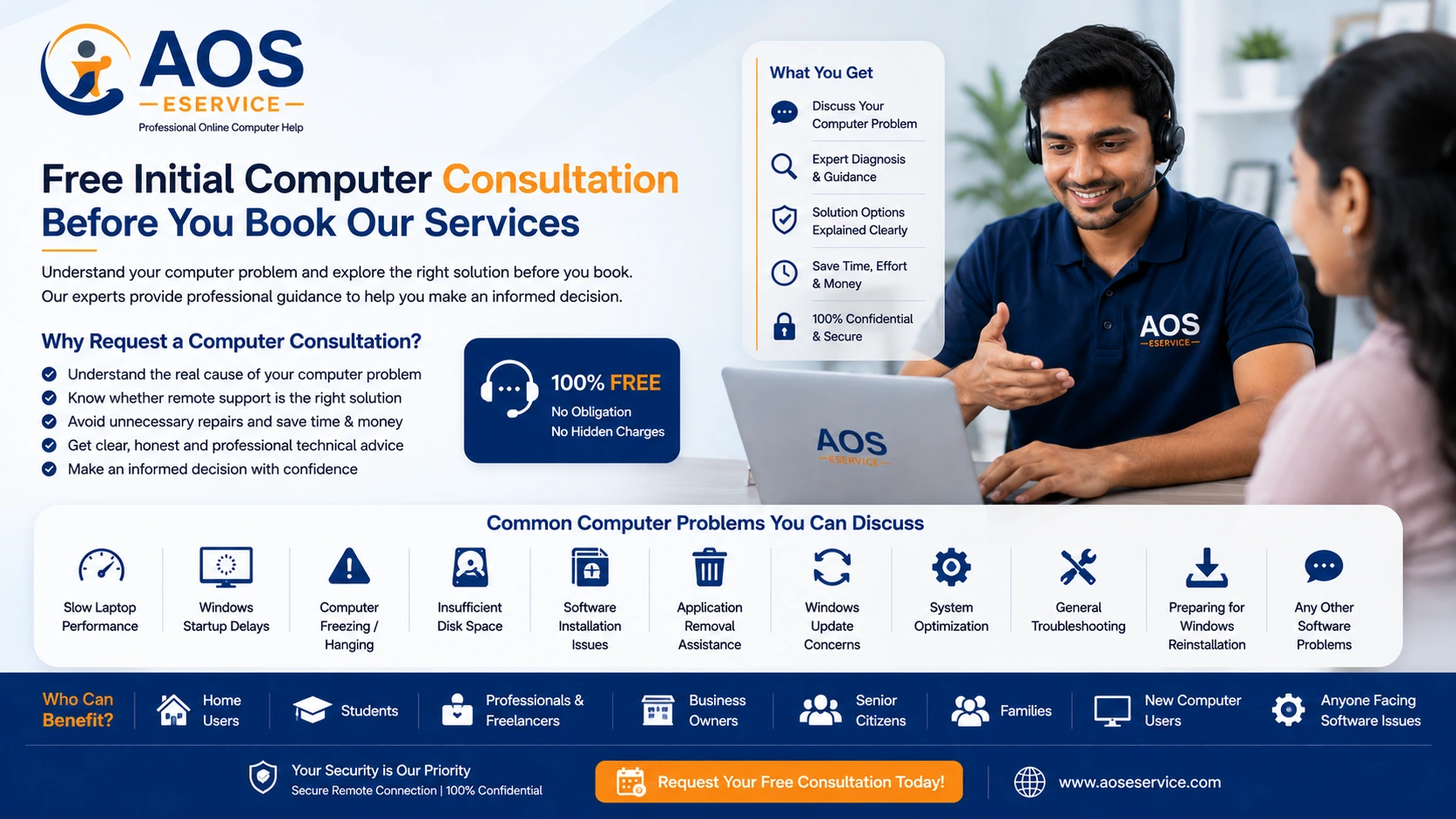
Free Initial Computer Consultation Before You Book Our Services
Not every computer problem requires immediate repair, software reinstallation or advanced troubleshooting. In many situations, understanding the actual cause of the issue is the most important first step. Our free initial computer consultation is designed to help you identify the nature of your computer problem and determine whether it can be resolved through our secure online support service.
Whether your laptop has gradually become slow, Windows is behaving unexpectedly, applications refuse to open correctly or your storage is running out of space, our technical team can review the information you provide and offer professional guidance. This initial consultation allows both you and our engineers to understand the situation before any remote service is scheduled.
Unlike automated troubleshooting websites that provide generic advice, we focus on your individual computer problem. Every system has a different configuration, different software installations and different usage patterns. For this reason, meaningful technical guidance begins with understanding your specific situation rather than making assumptions.
Why Request a Computer Consultation?
Many computer users are unsure whether their problem requires professional assistance or whether it can be resolved with a few simple adjustments. Others may worry about unnecessary repair costs without knowing the actual cause of the issue. Our consultation service helps remove this uncertainty by providing an opportunity to discuss your concerns before deciding on the next course of action.
An initial consultation can often save valuable time by identifying whether the issue appears to be software-related, whether remote support is suitable or whether the problem may require physical hardware inspection. Rather than guessing, you receive practical guidance based on the information you provide.
Our goal is not simply to recommend a service. Instead, we aim to help you understand your computer's condition so that you can make an informed decision about the most appropriate solution.
Who Can Benefit from Our Free Consultation?
Our consultation service is suitable for anyone experiencing software-related computer problems or seeking professional advice before arranging remote technical support. Whether you use your computer for work, education, business or personal activities, a preliminary technical discussion can help clarify the best way forward.
We regularly assist:
- Home computer users.
- Students attending online classes.
- Freelancers working remotely.
- Small business owners.
- Office professionals.
- Senior citizens requiring computer assistance.
- Families sharing a household computer.
- Users purchasing a new computer who require setup guidance.
- Individuals considering Windows reinstallation.
- Anyone experiencing persistent software problems.
Regardless of your level of technical knowledge, we communicate in clear and understandable language. Our objective is to explain computer issues without unnecessary technical jargon so that every customer understands the available options.
Common Computer Problems You Can Discuss
Our free consultation covers a wide variety of software-related issues commonly experienced by Windows laptop and desktop users. Although every computer is different, many questions fall into familiar categories that can often be assessed before any remote work begins.
Examples include:
- Slow laptop performance.
- Desktop PC running slowly.
- Windows startup delays.
- Computer freezing or hanging.
- Insufficient disk space.
- Storage management advice.
- Software installation problems.
- Application removal assistance.
- Windows update concerns.
- Operating system optimisation.
- General Windows troubleshooting.
- Preparing for Windows reinstallation.
If your issue falls within the scope of software support, we will explain the available options and advise whether online assistance is likely to be an appropriate solution.
Every Computer Is Different
One of the most common misconceptions about computer troubleshooting is the expectation that every problem has a single universal solution. In reality, computers differ significantly depending on their hardware configuration, Windows version, installed software, storage capacity and daily usage patterns.
For example, two laptops may both appear to be "slow," yet the underlying causes could be completely different. One system may simply require software optimisation, while another may have insufficient storage space, conflicting applications or aging hardware. Because of these differences, we avoid offering generic advice without first understanding your computer's condition.
Our consultation process allows us to review the information you provide, identify possible causes and recommend sensible next steps based on your individual circumstances rather than assumptions.
Information That Helps Us Understand Your Computer Problem
Providing accurate information allows us to evaluate your computer issue more efficiently and recommend suitable solutions. While you do not need extensive technical knowledge, including a few important details in your consultation request helps our engineers understand your situation before contacting you.
When submitting your consultation request, try to include the following information whenever possible:
- Whether you are using a laptop or desktop computer.
- The manufacturer and model of your device.
- Your Windows version, if known.
- An estimate of your computer's age.
- Whether your storage drive is an SSD or HDD, if known.
- A brief description of the problem.
- When the issue first started.
- Any recent software installations or Windows updates.
- Error messages displayed on the screen.
- Whether the problem occurs constantly or occasionally.
Even if you cannot answer every question, providing as much information as possible enables us to offer more meaningful guidance during the initial consultation.
How Our Consultation Process Works
We have designed our consultation process to be simple, transparent and convenient. Instead of immediately requesting remote access to your computer, we first review the information you submit and assess whether the issue appears suitable for online assistance.
Our consultation process generally follows these steps:
- You complete and submit the consultation request form.
- Our technical team reviews the information you have provided.
- We assess the probable nature of the reported issue.
- If additional information is required, we may contact you for clarification.
- We explain whether the problem appears suitable for remote support.
- If appropriate, we provide recommendations or discuss available service options.
- You decide whether you wish to proceed with a remote support session.
This approach allows both you and our engineers to understand the situation before any technical work begins. It also ensures that remote support is recommended only when it is likely to be effective for your particular issue.
Our Free Consultation Is Designed to Help You Make an Informed Decision
Many customers contact us because they are uncertain about the seriousness of their computer problem. Some worry that their laptop requires expensive repairs, while others simply want confirmation that remote software optimisation is the right solution.
Our initial consultation is intended to provide clarity rather than pressure. If your issue appears straightforward, we may explain practical steps that you can try yourself. If professional assistance would be beneficial, we explain why and discuss the available options. Our goal is to help you make an informed decision based on technical assessment rather than guesswork.
Email Consultation and WhatsApp Communication
Consultation requests submitted through our website are reviewed by our technical team and responses are generally provided through email. Email allows us to organise technical information clearly and provides a written record of our recommendations that you can refer to later.
For situations requiring additional clarification, you may also communicate with us through our official WhatsApp number. WhatsApp is useful for sharing photographs of error messages, screenshots and other supporting information that may assist our engineers in understanding the reported issue.
Although WhatsApp provides convenient communication, detailed technical guidance may still be delivered through email whenever appropriate, particularly when multiple recommendations or step-by-step instructions are involved.
Free Consultation Versus Remote Technical Support
It is important to distinguish between an initial consultation and a professional remote support session. Our free consultation is intended to evaluate your problem, answer general questions and determine whether online technical assistance is appropriate.
Remote support, on the other hand, involves our engineers connecting securely to your computer, diagnosing software-related issues in greater detail and carrying out optimisation, configuration or troubleshooting work where required.
The consultation helps establish whether such remote work is likely to resolve your issue, allowing you to proceed with confidence if further assistance is needed.
When Online Assistance Is the Right Choice
Remote computer support is often the most convenient option when the computer remains operational and the issue is related primarily to software rather than physical hardware. Many Windows performance problems, software conflicts and configuration issues can be resolved efficiently without transporting the computer to a repair centre.
Online assistance may be appropriate when:
- Windows starts but operates slowly.
- Applications frequently become unresponsive.
- The computer requires software optimisation.
- Storage space is becoming limited.
- Windows configuration requires adjustment.
- Software needs to be installed or removed.
- General troubleshooting is required.
- You require guidance before reinstalling Windows.
Because the service is delivered remotely, you remain at your own computer throughout the session and can observe the work being carried out in real time.
Situations Where Remote Consultation May Not Be Sufficient
While remote support is highly effective for software-related issues, there are situations where physical inspection or repair is necessary. Hardware failures cannot be corrected through an internet connection and require direct servicing.
Examples include damaged displays, defective keyboards, charging port failures, motherboard faults, liquid damage, battery replacement and other physical component issues. If your consultation indicates that the problem is likely to involve hardware, we will explain this honestly and recommend the most appropriate course of action.
Our priority is to provide practical and realistic advice rather than recommending services that are unlikely to resolve the underlying problem.
Why Professional Technical Advice Matters
Computers have become an essential part of everyday life. They support business operations, education, banking, communication, entertainment and countless other activities. When a computer begins to perform poorly, many users search the internet for immediate solutions. Although online tutorials and discussion forums can be helpful, every computer has its own unique hardware configuration, software environment and usage history. Advice that works perfectly for one system may be unsuitable for another.
Professional consultation helps eliminate unnecessary guesswork. Instead of experimenting with random settings or installing multiple optimisation utilities, you receive practical guidance based on the actual symptoms you describe. This approach reduces the possibility of creating additional software problems while helping you move toward an effective solution more quickly.
Our consultation service focuses on understanding the nature of your computer issue before recommending any technical action. We believe that informed decisions lead to better long-term results than rushed repairs.
Common Questions We Receive During Consultations
Every week, we receive enquiries from users experiencing a wide variety of computer problems. Although every situation is unique, many consultations involve similar concerns. Some customers simply want to understand why their laptop has become slower over time, while others are uncertain whether Windows should be reinstalled or whether a simple optimisation would be sufficient.
Typical consultation topics include:
- Why is my laptop taking several minutes to start?
- Can a slow computer be improved without replacing hardware?
- Is my hard drive full, or is something else causing the slowdown?
- Should I reinstall Windows or optimise the existing installation?
- How can I remove unwanted software safely?
- Why does my computer freeze while using certain applications?
- Can remote support solve my computer problem?
- How long does online computer servicing usually take?
- Do I need additional RAM or simply software optimisation?
- Is my computer suitable for remote servicing?
These discussions help customers better understand the available options before committing to a repair or optimisation service.
We Believe in Honest Technical Recommendations
One of the guiding principles of AOS Computer Help is transparency. If we believe that your computer can be improved through software optimisation, we explain why. Likewise, if the issue appears to involve failing hardware or physical damage that cannot be resolved remotely, we will tell you openly rather than recommending unnecessary services.
Our reputation depends on providing practical advice that genuinely benefits our customers. We believe that honesty builds lasting relationships, and we would rather recommend the correct solution than promise unrealistic results.
Whenever possible, we explain the likely cause of the problem in clear language so that you understand not only what needs to be done but also why it is recommended.
Helping You Understand Your Computer Better
A consultation is not only about solving today's problem. It is also an opportunity to improve your understanding of how your computer operates. Many recurring issues can be prevented through regular maintenance, responsible software installation and sensible storage management.
Our engineers often provide practical suggestions that help customers maintain their systems more effectively after the consultation. These recommendations may include organising files more efficiently, avoiding unnecessary software installations, maintaining adequate free storage space and recognising early signs of software-related problems before they become more serious.
By helping users understand the fundamentals of computer maintenance, we aim to reduce future downtime and improve the overall computing experience.
Our Consultation Is Suitable for Individuals and Small Businesses
Whether you own a single personal laptop or manage several office computers, obtaining professional advice before undertaking technical work is often beneficial. Small businesses, freelancers and home-office professionals rely heavily on stable computer systems, and unexpected software problems can interrupt daily operations.
Our consultation service is equally suitable for individual users seeking help with a home computer and organisations wishing to discuss software maintenance, Windows optimisation or remote technical support for business workstations.
Because every working environment is different, our recommendations are always tailored to the information you provide rather than based on generic assumptions.
Preparing for a Successful Remote Support Session
If your consultation indicates that remote support is the most appropriate solution, a small amount of preparation can help ensure that the service proceeds smoothly. We recommend saving any open work, ensuring that your internet connection is stable and keeping your computer connected to power throughout the session, particularly when using a laptop.
You should also keep any important account credentials available if software updates or installations require your permission. Throughout the remote session, you remain in control of your computer and can observe every action performed by our engineer.
Proper preparation helps reduce interruptions and allows the optimisation process to be completed more efficiently.
Our Goal Is to Provide Practical Solutions, Not Complicated Explanations
Technical support should not be confusing. Our objective is to explain computer issues in a straightforward manner and recommend solutions that are appropriate for your circumstances. Whether your issue is simple or more complex, we believe that clear communication is just as important as technical expertise.
From the moment you submit your consultation request, our focus is on understanding your problem, evaluating the available options and helping you choose the most suitable path forward. Whether the outcome is simple guidance, a recommendation for software optimisation or a full remote support session, our aim is always to provide honest, professional assistance that benefits you in the long term.
Frequently Asked Questions
Is the computer consultation really free?
Yes. Our initial computer consultation is provided free of charge. It allows you to explain your computer problem so that our technical team can understand the issue and advise whether remote assistance is likely to be suitable. If professional remote service is required after the consultation, we will explain the available service options separately.
How do I request a consultation?
Simply complete the consultation form provided below with accurate information about your computer and the problem you are experiencing. The more details you provide, the easier it is for our engineers to understand your situation and offer meaningful guidance.
Will I receive a response by email?
Yes. Consultation responses are generally provided through email because it allows us to explain recommendations clearly and provides you with a written reference that you can review later. If additional clarification is necessary, we may also communicate through our official WhatsApp number.
Can I request advice before hiring your remote support service?
Certainly. That is one of the primary purposes of this consultation. If you are uncertain whether your computer requires optimisation, Windows reinstallation or another type of technical assistance, our consultation helps you understand the available options before making a decision.
Do I need technical knowledge to request a consultation?
Not at all. You only need to describe the problem as clearly as possible. Our engineers will interpret the information you provide and, where necessary, ask additional questions to better understand the issue.
Can you diagnose every computer problem through consultation?
The consultation provides an initial technical assessment based on the information you submit. While many software-related issues can be evaluated effectively, some problems require remote inspection or physical hardware examination before a definitive diagnosis can be made.
Do you provide hardware repair advice?
Yes. If your description suggests a hardware-related problem, we will explain the likely cause and advise whether physical servicing may be required. However, hardware repairs themselves cannot be performed remotely.
Is my information kept confidential?
Yes. Information submitted through our consultation form is used only for evaluating your technical enquiry and communicating with you regarding your request. We respect your privacy and encourage you not to include passwords or other sensitive confidential information in your submission.
Request Your Free Initial Computer Consultation
Every computer problem has a cause, and identifying that cause is the first step toward finding an effective solution. Whether your Windows laptop has become unusually slow, your desktop computer frequently freezes, storage space is running low or you simply need professional guidance before making changes to your system, our technical team is ready to assist.
Please complete the consultation form below with as much information as possible. The details you provide help us understand your situation and allow us to offer more accurate recommendations. Clear descriptions, error messages and relevant system information often enable us to identify possible causes even before a remote support session is arranged.
After reviewing your request, we will assess whether your issue appears suitable for remote assistance, provide initial guidance where appropriate and explain the next steps if professional support is recommended.
Online Consultation Request Form
Please complete the Book Appointment Button form below to request your free initial computer consultation. We encourage you to describe your problem clearly and include any relevant details about your computer, operating system and the issue you are experiencing. This information helps our engineers provide more accurate and practical guidance.
Let's Find the Right Solution Together
Computer problems do not always require complicated repairs. In many cases, understanding the underlying issue is enough to determine the most practical solution. Our consultation service is intended to give you confidence before proceeding with optimisation, troubleshooting or remote technical support.
At AOS Computer Help, we believe in providing honest advice, practical recommendations and professional assistance tailored to your individual computer. Whether you ultimately require remote support or simply need reliable technical guidance, we are committed to helping you make informed decisions that improve the performance, reliability and longevity of your Windows computer.