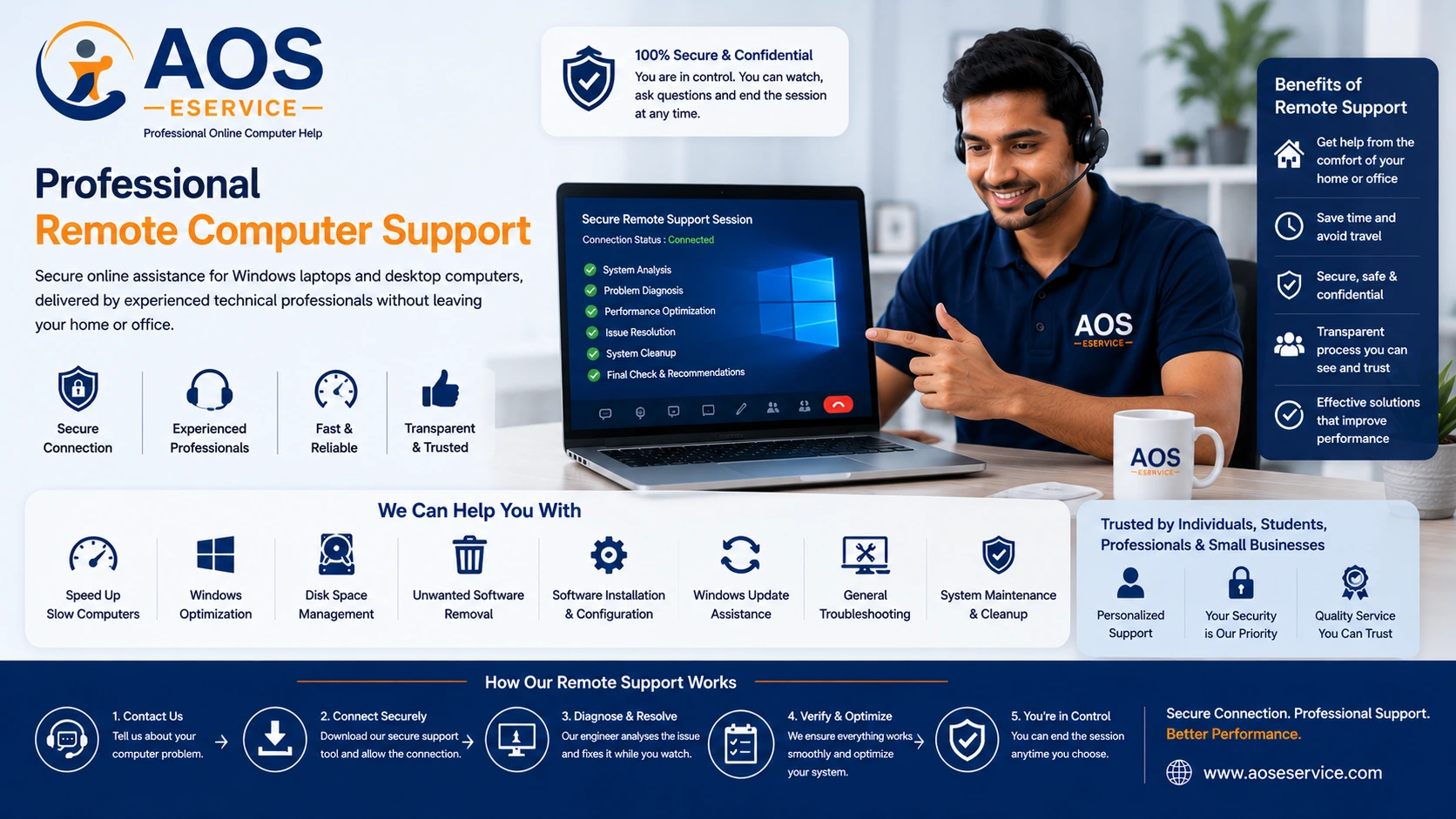
Professional Remote Computer Support for Windows Laptops and Desktop PCs
Modern internet technology has transformed the way technical support is delivered. Many software-related computer problems that once required carrying a laptop to a repair centre can now be diagnosed and resolved securely through remote computer support. At AOS Computer Help, we provide professional online technical assistance for Windows laptops and desktop computers, allowing our engineers to analyse and resolve software issues while you remain comfortably at your own location.
Our remote support service is designed for individuals, students, professionals, home users and small businesses that require reliable technical assistance without unnecessary delays. Instead of travelling to a service centre or waiting several days for an appointment, you can receive professional support through a secure remote connection whenever your computer is suitable for online servicing.
Throughout the support session, you remain in front of your computer and can observe every action performed by our engineer. You retain full control over the connection and may end the session whenever you choose. This transparent approach allows technical problems to be addressed efficiently while maintaining your confidence and security.
What Is Remote Computer Support?
Remote computer support is a method of providing professional technical assistance over the internet without requiring the engineer to be physically present. Using trusted remote access software, a secure temporary connection is established between your computer and our support engineer. Once you approve the connection, the engineer can analyse software-related issues, troubleshoot Windows problems and perform optimisation tasks directly on your system while you monitor the entire process.
Remote support is particularly effective for resolving software problems because the engineer can interact with your computer almost as though they were sitting beside you. This makes it possible to investigate performance issues, remove unwanted software, optimise Windows settings, manage storage, configure applications and carry out many other technical tasks without transporting your computer to another location.
Unlike unattended remote management systems used within corporate networks, our support sessions are initiated only with your permission. Every connection is temporary and created specifically for the service session, ensuring that you remain in control from beginning to end.
Why Choose Remote Computer Support?
For many computer users, convenience is one of the greatest advantages of remote technical assistance. Instead of disconnecting cables, travelling to a repair shop or leaving your computer for several days, remote support enables professional assistance to be delivered wherever you have a stable internet connection.
Remote servicing is often faster than traditional repair methods because software issues can frequently be diagnosed immediately after establishing a secure connection. Our engineers can observe system behaviour in real time, identify potential causes of poor performance and recommend practical solutions without unnecessary waiting periods.
Another important advantage is transparency. Because you remain at your computer during the entire session, every action performed by the engineer is visible on your screen. If you have questions during the process, they can often be answered immediately, making the service both educational and reassuring.
For customers living in locations where specialised computer service centres may not be readily available, remote support also provides access to experienced technical assistance without geographical limitations.
When Is Remote Support the Right Solution?
Although not every computer problem can be resolved online, many software-related issues are excellent candidates for remote technical assistance. If your Windows operating system is still able to start normally and your computer can connect to the internet, there is a strong possibility that remote support may be suitable.
Examples of situations where remote support is commonly recommended include:
- Slow laptop or desktop performance.
- Windows startup delays.
- Operating system optimisation.
- Disk space management.
- Removal of unwanted software.
- Software installation and configuration.
- Application troubleshooting.
- Windows update assistance.
- General performance improvements.
- Computer maintenance and system clean-up.
- Preparation before Windows reinstallation.
- Technical guidance for software-related issues.
Because every computer is different, the suitability of remote support depends upon the condition of your system. Our engineers first assess the reported problem before determining the most appropriate course of action.
Before You Request Remote Assistance
A successful remote support session begins with a few simple preparations. Before requesting assistance, ensure that your computer is able to power on normally, the display is functioning correctly and you have a reasonably stable internet connection. Since communication takes place over the internet, connection quality directly influences the efficiency of the support session.
If possible, we also recommend saving any important work before the session begins and keeping your computer connected to its power supply, particularly when using a laptop. These simple steps help minimise interruptions while our engineers perform diagnostics and optimisation procedures.
If you are unsure whether your particular problem is suitable for online assistance, our earlier Free Computer Consultation service is an excellent place to begin. We can review your situation, answer your questions and advise whether remote support is likely to be the most effective solution.
Professional Assistance Without Leaving Your Home or Office
Our objective is to make professional computer support more accessible, more transparent and more convenient. Remote assistance removes unnecessary travel while allowing you to receive expert technical help from experienced engineers who specialise in software troubleshooting, Windows optimisation and computer performance improvement.
Every remote support session begins with understanding your computer, not making assumptions. By carefully assessing the information you provide and reviewing your system during the initial analysis, we aim to recommend practical solutions that genuinely improve your computer's performance and reliability.
Establishing a Secure Remote Connection
Once it has been determined that your computer is suitable for remote assistance, the next step is establishing a secure connection between your computer and our technical support engineer. This connection allows our engineer to diagnose software-related issues while you remain comfortably at your own location.
To create this connection, we may ask you to install a trusted remote desktop application such as AnyDesk or TeamViewer. These applications are widely used throughout the information technology industry because they provide secure, encrypted communication while allowing the computer owner to remain in complete control of the session.
If you have never used remote support software before, there is no need to worry. Our engineer will guide you through the connection process step by step. The installation is straightforward and normally takes only a few minutes to complete.
After the application is running, you simply provide the temporary connection details generated by the software. The session begins only after you approve the connection request, ensuring that access is granted entirely under your control.
Why We Use Trusted Remote Support Software
Remote support depends on reliable communication between your computer and our engineer. For this reason, we recommend only well-established remote access applications that are trusted by businesses, educational institutions and IT professionals around the world.
Applications such as AnyDesk and TeamViewer provide encrypted communication channels designed to protect information transmitted during the support session. They also require your permission before remote access can begin, allowing you to decide when the connection starts and when it ends.
These applications are intended only to facilitate technical support. They do not permanently hand over control of your computer, nor do they create unrestricted access after the session has ended. Each support session is established independently and requires your active participation.
By using recognised remote support software rather than proprietary applications, we ensure that customers benefit from mature security features, dependable connectivity and a familiar interface trusted throughout the IT industry.
Your Privacy and Control Remain the Highest Priority
Many first-time customers naturally ask whether remote computer support is safe. The answer depends largely on who you choose to work with and how the connection is established. At AOS Computer Help, transparency and customer control are fundamental principles of every support session.
You remain physically present at your computer throughout the service. Every mouse movement, every window opened and every configuration change is displayed directly on your own screen. Nothing occurs without your knowledge because you can observe the entire troubleshooting process in real time.
You also retain complete authority over the connection itself. If you wish to pause the session, ask questions or end the connection altogether, you are free to do so at any time. Remote support is intended to assist you—not take control away from you.
Our engineers concentrate only on diagnosing and resolving the agreed software issues. We do not browse personal documents, photographs or private files unless you specifically request assistance involving those items.
Every Remote Session Begins with a Free System Analysis
Before making recommendations or performing optimisation work, our engineers first analyse your computer to understand its current condition. This initial assessment helps determine the actual cause of the reported problem rather than relying solely on visible symptoms.
Many users assume that a slow computer always requires Windows reinstallation or expensive hardware upgrades. In reality, poor performance may result from a combination of software settings, background applications, storage limitations or outdated configurations. A structured system analysis helps identify these contributing factors before any corrective action is taken.
This preliminary assessment allows us to explain what we observe, answer your questions and recommend the most appropriate technical approach for your particular computer.
What Our Engineers Evaluate During System Analysis
Every computer behaves differently depending on its hardware configuration, installed software and usage history. During the analysis stage, our engineers examine a variety of software-related factors that may influence overall system performance.
Typical areas of evaluation include:
- Windows startup behaviour and boot performance.
- Background processes consuming excessive system resources.
- CPU and memory utilisation.
- Available storage capacity and disk organisation.
- Temporary files and unnecessary system data.
- Installed software and startup applications.
- Windows update status.
- Driver-related software issues.
- General operating system responsiveness.
- Potential software conflicts affecting stability.
- Basic security software configuration.
- Overall system health relevant to software optimisation.
The purpose of this assessment is not simply to identify problems but also to determine which improvements will produce the greatest benefit for your particular computer.
Receiving Your Engineer's Technical Assessment
Once the analysis has been completed, our engineer will explain the observations in straightforward language. Rather than overwhelming you with technical terminology, we focus on helping you understand what is affecting your computer's performance and what options are available.
For example, the analysis may reveal that your computer simply requires software optimisation, removal of unnecessary background applications or better storage management. In other situations, the assessment may indicate that Windows repair or operating system reinstallation would provide more effective long-term results.
Occasionally, the analysis may suggest that the primary issue is related to physical hardware rather than software. If that is the case, we will explain our findings honestly and recommend that the hardware be inspected by an authorised local service provider or qualified technician, since hardware replacement cannot be performed remotely.
Our goal is to provide practical recommendations based on the actual condition of your computer, enabling you to make informed decisions with confidence.
An Informed Decision Is Always Yours
After receiving the engineer's assessment, you have the opportunity to ask questions and understand the recommended approach. We believe that customers should never feel pressured into technical services they do not fully understand.
Our role is to explain the likely causes of the issue, outline the available software solutions and help you determine whether remote support is appropriate for your needs. By providing clear information and transparent guidance, we aim to build long-term trust rather than simply resolving a single computer problem.
Beginning Your Remote Support Session
Once you have reviewed the engineer's assessment and decided to proceed, the remote support session begins. Every support session is tailored to the specific condition of your computer rather than following a fixed sequence of operations. Since no two computers are configured exactly alike, our engineers carefully plan the required troubleshooting and optimisation procedures before making changes to your system.
Throughout the session, you remain connected with the engineer while the agreed software-related issues are addressed. Depending on the nature of the problem, the process may involve Windows configuration adjustments, software troubleshooting, removal of unnecessary applications, storage optimisation, operating system maintenance or other technical procedures intended to improve system stability and performance.
Rather than applying generic "one-click" optimisation tools, our engineers analyse the behaviour of your computer and perform appropriate maintenance based on professional judgement and technical experience.
You Remain in Control Throughout the Entire Session
One of the greatest advantages of professional remote support is that you never lose visibility of your computer. Every action performed by our engineer appears directly on your screen, allowing you to follow the troubleshooting process from beginning to end.
Unlike leaving your computer at a repair centre, remote support enables you to remain actively involved. If you wish to ask questions, understand a particular procedure or simply observe how the optimisation is being carried out, you are welcome to do so throughout the session.
Because the connection is established only with your approval, you also retain complete authority over the session itself. Should you decide to pause or terminate the connection for any reason, you may do so immediately using the remote support application.
Our objective is to provide technical assistance in a transparent and trustworthy manner while ensuring that you remain comfortable throughout the entire process.
Software Problems That Can Commonly Be Resolved Remotely
Remote computer support is highly effective for resolving a wide variety of software-related issues affecting Windows laptops and desktop computers. As long as the operating system is able to start and the computer can connect reliably to the internet, many technical problems can be investigated without requiring physical access to the device.
Examples of services commonly provided through remote assistance include:
- Windows performance optimisation.
- Slow laptop and desktop troubleshooting.
- Operating system clean-up and maintenance.
- Disk space management.
- Removal of unnecessary startup programs.
- Software installation and configuration.
- Application troubleshooting.
- Windows update issues.
- System error investigation.
- User profile configuration.
- Removal of unwanted software.
- Operating system optimisation for improved responsiveness.
- Basic driver-related software corrections.
- Preparation for operating system reinstallation.
- General computer maintenance and health checks.
These tasks often improve system responsiveness, reduce unnecessary delays and help restore a smoother computing experience without requiring your computer to leave your home or workplace.
Situations That Usually Require Physical Service
Although remote support is an excellent solution for many software-related problems, certain issues cannot be resolved through an internet connection because they involve physical components inside the computer.
Examples include damaged displays, faulty keyboards, failing storage devices, defective memory modules, motherboard failures, broken charging ports, liquid damage and other hardware-related faults. These situations require direct inspection, testing or replacement of physical components by an authorised service centre or qualified local technician.
If our initial system analysis suggests that your computer is experiencing a hardware problem, we will explain our findings honestly and recommend the most appropriate course of action. We believe that providing accurate advice is far more valuable than attempting software repairs that cannot resolve a physical fault.
Improving Computer Performance Through Professional Optimisation
Many computers gradually become slower over time without suffering any hardware failure. Everyday activities such as installing new applications, accumulating temporary files, increasing startup programs and changes to system configuration can collectively reduce overall performance. Our engineers carefully examine these factors during the remote support session and recommend appropriate optimisation measures suited to your particular computer.
Rather than relying on aggressive automated cleaning utilities, we prefer systematic optimisation techniques that preserve system stability while removing unnecessary software clutter. This balanced approach helps improve responsiveness without introducing additional risks.
Where appropriate, we may also provide practical recommendations that help maintain your computer after the support session has concluded, reducing the likelihood of recurring software problems.
Clear Communication Throughout the Support Process
Technical expertise alone is not enough to provide an excellent support experience. Clear communication is equally important. Our engineers explain the work being carried out in straightforward language so that you understand the purpose of each major step rather than being left wondering what is happening on your computer.
If unexpected findings arise during diagnosis, we discuss them with you before proceeding. Likewise, if alternative solutions are available, we explain the advantages and limitations of each option so that you can make informed decisions based on your own requirements.
We believe that customers appreciate honesty, transparency and respectful communication just as much as technical competence.
After the Remote Support Session
Once the agreed work has been completed, our engineer performs appropriate checks to verify that the requested software improvements have been successfully applied. Depending on the type of service provided, this may include restarting the computer, confirming normal Windows operation, testing relevant applications and ensuring that previously reported issues have been resolved.
Before ending the session, you are welcome to ask additional questions regarding the work performed or seek general advice on maintaining your computer more effectively in the future. Whenever practical, our engineers provide useful recommendations that may help extend the performance and reliability of your Windows system.
Our goal is not simply to complete a technical task but to leave you with a computer that performs better and with greater confidence in maintaining it going forward.
Frequently Asked Questions About Remote Computer Support
Can my computer really be repaired remotely?
Many software-related problems can be diagnosed and resolved remotely without transporting your computer to a repair centre. If your Windows laptop or desktop computer starts normally, has a working display and can connect to the internet, remote support is often a practical solution. However, problems involving damaged hardware or failed internal components require physical inspection and cannot be resolved through remote access.
Will I lose control of my computer during the session?
No. You remain in complete control throughout the entire remote support session. The connection begins only after you grant permission, and every action performed by our engineer is visible on your screen. You may pause or end the session whenever you choose.
Is remote computer support secure?
Yes. We use trusted remote support applications that establish encrypted communication between your computer and our engineer. Access is temporary and available only for the active support session. We recommend remaining at your computer throughout the process so you can observe every step being performed.
Which operating systems do you support?
Our online support services are primarily designed for Microsoft Windows laptops and desktop computers. During your consultation or initial system analysis, our engineer will confirm whether your particular operating system and technical issue are suitable for remote assistance.
Do I need advanced computer knowledge?
Not at all. Most customers have little or no technical experience. Our engineers provide clear instructions during the connection process and explain each stage of the service in simple language. If you can operate your computer and connect to the internet, we will guide you through the remaining steps.
What if my computer cannot be repaired remotely?
If our analysis indicates that the problem is caused by faulty hardware or another issue that cannot be resolved online, we will explain our findings honestly and recommend seeking assistance from an authorised service centre or qualified local technician. We believe in providing accurate advice rather than attempting ineffective software repairs.
Why Choose AOS Computer Help?
Choosing a technical support provider is about more than simply fixing a computer. It is about working with professionals who value transparency, clear communication and responsible technical practice. At AOS Computer Help, every remote support session begins with understanding your system rather than making assumptions.
We believe customers deserve honest technical guidance, practical recommendations and solutions based on the actual condition of their computers. Whether your system requires optimisation, software troubleshooting or operating system maintenance, our engineers focus on identifying the underlying cause of the problem before recommending corrective action.
Our objective is to provide professional online computer support that saves time, reduces unnecessary travel and delivers dependable assistance while allowing you to remain comfortable in your own home or workplace.
Ready to Begin Your Remote Support Session?
If your Windows laptop or desktop computer has become slow, unresponsive or difficult to use, professional assistance may be only a few steps away. Our engineers are ready to analyse your system, determine whether remote support is appropriate and guide you through the entire process with clarity and professionalism.
If you are uncertain about the nature of your computer problem, we recommend starting with our Free Computer Consultation, where you can describe the issue and receive preliminary guidance before establishing a remote connection.
When you are ready to proceed, simply contact AOS Computer Help to arrange your remote support session. We look forward to helping you restore your computer's performance safely, securely and efficiently.