Modern computers have become an essential part of everyday life. Whether they are used for education, business, communication, professional work or personal entertainment, most people depend on their computers every day. When a problem suddenly interrupts that work, finding reliable technical assistance becomes an immediate priority.
Many people assume that every computer problem requires visiting a repair centre. In reality, a significant number of software-related issues can be diagnosed and resolved remotely through a secure internet connection. This approach allows customers to receive professional assistance without transporting their computer, reducing inconvenience while maintaining the same systematic troubleshooting process used by experienced service engineers.
AOS Service, operated by Amlu Online Services (AOS), provides professional Online Computer Help through secure remote assistance. Our services focus on software-related computer problems including operating system installation, performance optimisation, startup troubleshooting, storage management, software configuration and preventive system maintenance.
What is Online Computer Help?
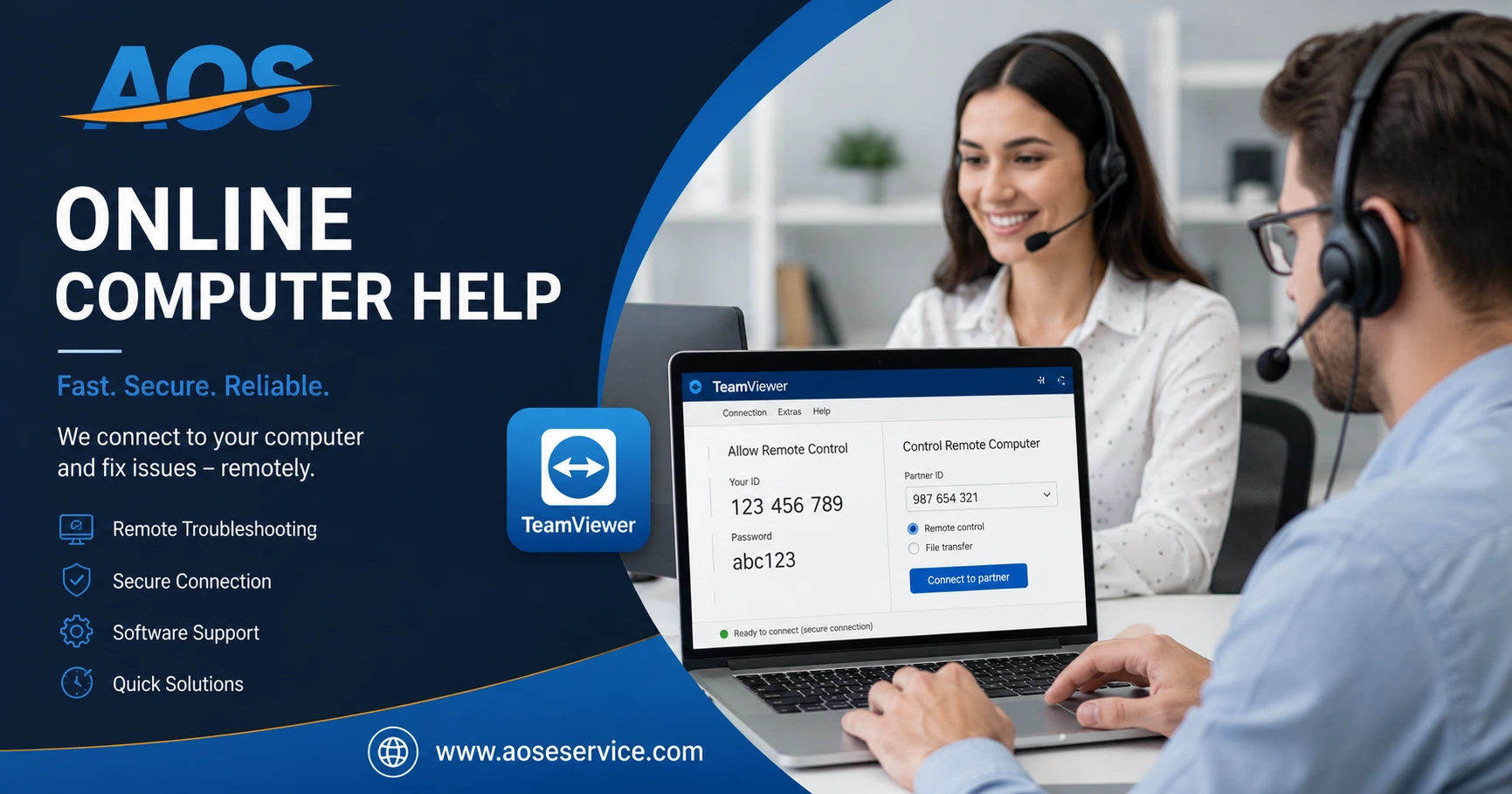
Online Computer Help is a professional technical support service delivered remotely through a secure internet connection. Instead of taking your laptop or desktop computer to a repair centre for software-related issues, a qualified engineer can securely connect to your computer—with your permission—to diagnose problems, perform maintenance and implement appropriate solutions.
Remote support has become increasingly practical because modern internet connections and trusted remote desktop technologies allow engineers to work directly on a customer's computer while maintaining communication throughout the entire session. Customers remain present during the support process, can observe the work being carried out and may end the remote session whenever they choose.
This method is particularly effective for software problems because diagnosing software does not usually require physical access to the computer. Instead, engineers analyse operating system behaviour, system configuration, installed software, startup processes, storage usage, event logs and other technical information to identify the underlying cause of a problem.
Engineering Perspective
One of the most common misconceptions about computer repair is that every problem requires replacing hardware. In practice, many performance issues originate from software configuration, operating system errors, excessive startup applications, storage problems or conflicting software. Identifying the actual cause is far more important than immediately attempting repairs.
Why Choose Online Computer Help?
For many software-related computer problems, remote support offers a practical alternative to traditional repair methods. Customers can receive professional assistance from their own home or workplace while continuing to communicate directly with the engineer throughout the session.
Convenience
Receive professional assistance without transporting your computer to a service centre.
Professional Diagnosis
Systematic troubleshooting helps identify the real cause of software-related problems before recommending a solution.
Secure Remote Assistance
Remote sessions begin only with your permission, and you remain in control throughout the support process.
Appointment-Based Service
Every customer receives dedicated engineering time through scheduled appointments rather than rushed, first-come-first-served support.
Understanding the Difference Between Symptoms and Causes
One of the most important principles in computer troubleshooting is understanding that the visible problem is often only a symptom rather than the actual cause. For example, a computer that starts slowly may not simply be "slow." The underlying reason could be excessive startup applications, insufficient storage space, operating system corruption, malware, outdated drivers or software conflicts. Treating only the symptom without identifying its cause often results in temporary improvements rather than lasting solutions.
At AOS Service, every support session begins with understanding the problem before attempting to solve it. This engineering approach helps ensure that recommendations are based on evidence rather than assumptions, leading to more reliable and effective outcomes for our customers.
Professional Online Computer Help Services
Every computer behaves differently because every user installs different software, stores different types of files and uses the system for different purposes. As a result, the same symptom may have several possible causes. At AOS Service, we begin by understanding the reported problem before recommending an appropriate solution. This systematic approach allows us to provide practical Online Computer Help tailored to the customer's specific requirements.
Our services concentrate on software-related computer maintenance, troubleshooting and optimisation that can be delivered securely through remote assistance.
Slow Computer Diagnosis & Performance Optimisation
A computer may become slow for many reasons including excessive startup applications, insufficient storage space, fragmented data, software conflicts, outdated drivers or operating system problems. Rather than applying random fixes, we analyse the system to identify the underlying cause before performing appropriate optimisation.
Windows Installation & Reinstallation
Operating system installation requires careful preparation to ensure compatibility, stability and proper configuration. We assist customers with Windows installation and reinstallation, helping configure the operating system correctly while minimising unnecessary complications.
Startup & Boot Problem Troubleshooting
Long startup times, startup errors and operating system boot problems can often be traced to software configuration issues, damaged system files or unnecessary startup applications. We systematically investigate these conditions to restore reliable system startup wherever possible.
Software Installation & Configuration
Installing software correctly is more than simply clicking the installation button. Proper configuration, compatibility checks and post-installation verification help ensure that applications operate reliably without creating unnecessary conflicts within the operating system.
Disk Space & Storage Management
As storage becomes crowded with unnecessary files, temporary data and duplicate content, computer performance may gradually decline. We help organise storage, remove unnecessary data where appropriate and improve the overall efficiency of the system.
File Organisation & Computer Maintenance
Well-organised files make computers easier to manage and often improve productivity. We provide practical assistance with file organisation, folder management and general maintenance practices that contribute to long-term system reliability.
System Health Assessment
Sometimes customers notice unusual behaviour without knowing its cause. We evaluate the overall condition of the operating system, identify potential software issues and recommend practical maintenance measures before minor problems develop into larger ones.
General Software Troubleshooting
Unexpected error messages, application failures, configuration problems and other software-related issues can often be diagnosed remotely. Our objective is to identify the source of the problem through systematic analysis rather than relying on assumptions.
What We Can and Cannot Do Online
Understanding the capabilities and limitations of Online Computer Help is important. Remote support is highly effective for many software-related issues, but some situations require physical access to the computer. We believe customers should clearly understand this distinction before requesting assistance.
Suitable for Remote Support
- Windows installation and configuration
- Performance optimisation
- Software installation
- Startup troubleshooting
- Storage management
- File organisation
- Operating system maintenance
- General software troubleshooting
Not Suitable for Remote Support
- Motherboard repair
- Screen replacement
- Keyboard replacement
- Battery replacement
- Physical hard drive replacement
- RAM installation
- Internal hardware servicing
- Other physical component repairs
Professional and Honest Recommendations
If we determine that a reported problem is unlikely to be resolved through remote assistance, we will explain the reason honestly rather than attempting unnecessary procedures. Our objective is to recommend the most appropriate solution for the customer, even when that solution involves local hardware service instead of Online Computer Help.
Preventive Maintenance Matters
Many computer problems develop gradually rather than appearing suddenly. Regular software maintenance, organised storage, sensible startup management and periodic system reviews can significantly reduce the likelihood of future problems. Preventive maintenance not only improves computer performance but also contributes to long-term reliability and a better user experience.
For this reason, AOS Service places equal importance on helping customers understand good computer maintenance practices in addition to resolving immediate software issues. Our Knowledge Centre contains practical guides that complement our Online Computer Help services and encourage responsible long-term computer care.
Our Engineering Approach to Online Computer Help
Every computer problem has a cause, but the visible symptoms do not always reveal what that cause is. A computer that suddenly becomes slow, freezes frequently or displays unexpected error messages may appear to have a single problem, yet several different technical conditions can produce similar symptoms. Effective computer servicing therefore begins with careful diagnosis rather than immediate repair.
At AOS Service, every support session follows a systematic engineering process. Instead of applying random fixes or unnecessary software tools, we first analyse the reported problem, gather relevant technical information and identify the most probable cause before recommending an appropriate solution.
Engineering Principle
Good computer servicing is based on evidence rather than assumptions. Diagnosing the actual cause of a problem is often more valuable than immediately attempting repairs. This principle guides every Online Computer Help session provided by AOS Service.
How an Online Support Session Works
Although every computer problem is unique, our support process follows a structured workflow that helps ensure clear communication, systematic diagnosis and reliable service delivery.
1. Initial Enquiry
The customer contacts AOS and briefly explains the computer problem. Basic information such as the operating system, symptoms and previous troubleshooting attempts may also be discussed.
2. Preliminary Assessment
We review the reported issue to determine whether it is suitable for Online Computer Help. If the problem appears to involve physical hardware failure, we explain the limitations of remote support before proceeding.
3. Appointment Scheduling
Once the issue is confirmed to be suitable for remote assistance, a convenient appointment is arranged so that dedicated engineering time can be allocated to the customer.
4. Secure Remote Connection
At the scheduled time, a secure remote desktop session is established using trusted software such as TeamViewer or AnyDesk. The session begins only after the customer grants permission.
5. System Diagnosis
The engineer carefully examines the operating system, software configuration, startup behaviour, storage usage, system logs and other relevant technical information to identify the root cause of the reported issue.
6. Corrective Action
Once the cause has been identified, appropriate corrective measures are performed. These may include software configuration, operating system repair, optimisation, cleanup or other suitable maintenance procedures.
7. Testing & Verification
After completing the required work, the system is tested to confirm that the reported problem has been resolved or significantly improved before concluding the support session.
8. Recommendations
Where appropriate, customers receive practical recommendations that may help improve long-term computer reliability and reduce the likelihood of similar software problems in the future.
Why Systematic Diagnosis Matters
Many software-related problems produce similar symptoms. For example, a computer that becomes unusually slow may be affected by excessive startup applications, insufficient storage space, malware, operating system corruption, outdated software or conflicting applications. Applying a single "speed optimisation" procedure without understanding the actual cause may produce only temporary improvements.
A systematic diagnosis allows engineers to distinguish between symptoms and causes. Instead of treating every slow computer in the same way, each system is evaluated individually so that corrective actions are based on technical evidence rather than guesswork.
Understand the Problem
Every service begins by understanding the reported symptoms and gathering relevant information.
Identify the Cause
The operating system and software environment are analysed to determine the underlying technical cause.
Apply the Right Solution
Corrective actions are selected according to the actual diagnosis rather than applying unnecessary procedures.
Promote Long-Term Reliability
Recommendations are provided to help customers maintain a stable, efficient and reliable computer after the service is completed.
Our Commitment to Honest Technical Advice
Professional computer support is built on trust. If we believe that a reported issue cannot reasonably be resolved through Online Computer Help, we will explain the situation honestly and recommend the most appropriate course of action instead of attempting unnecessary procedures.
Likewise, if a customer requests software changes that may reduce system stability or compromise security, we will discuss the potential risks before proceeding. Our objective is to provide practical engineering advice that serves the customer's long-term interests rather than simply completing individual service requests.
Professional Responsibility
At AOS Service, solving a computer problem is only one part of our responsibility. Equally important is helping customers understand their systems, make informed decisions and maintain reliable computing environments through sound engineering practices.
Why Choose AOS Service?
Choosing professional Online Computer Help is not simply about finding someone who can operate a computer. It is about choosing a service that approaches every technical problem with patience, honesty and systematic engineering. At AOS Service, our objective is not merely to resolve today's computer problem but to help customers understand their systems and maintain them more effectively in the future.
As a service operated by Amlu Online Services (AOS), we believe that professional computer support should be built upon clear communication, realistic expectations and practical technical knowledge. Every recommendation we provide is intended to improve the reliability, stability and long-term performance of your computer.
Systematic Engineering
Every reported issue is analysed methodically to identify its actual cause before corrective actions are performed.
Professional Integrity
We provide honest technical advice and explain the limitations of remote support whenever a reported issue requires physical hardware servicing.
Appointment-Based Support
Dedicated engineering time allows every customer to receive careful attention rather than rushed troubleshooting.
Customer Privacy
Remote support sessions begin only with customer permission, and privacy is respected throughout every stage of the service.
Knowledge Sharing
We believe informed customers make better decisions. Whenever appropriate, we explain the cause of a problem and recommend practical maintenance practices.
Long-Term Computer Care
Our objective extends beyond solving immediate software problems. We encourage preventive maintenance that contributes to reliable long-term computer performance.
Continue Learning with Our Knowledge Centre
Professional Online Computer Help is most effective when combined with good computer maintenance practices. Our Knowledge Centre has been developed to help users understand the principles of computer care, improve system reliability and reduce the likelihood of future software problems.
Computer Cleaning Guide
Learn how responsible software maintenance and routine housekeeping contribute to improved computer performance and long-term reliability.
Computer File Management Guide
Discover practical methods for organising files, improving productivity and maintaining an orderly digital workspace.
Computer Storage Management Guide
Understand how effective storage organisation contributes to better operating system performance and easier computer maintenance.
Computer Energy Management Guide
Learn practical recommendations for responsible laptop battery usage, energy management and safe computer operation.
Ready to Receive Professional Online Computer Help?
If your computer is experiencing software-related problems, or if you would simply like professional guidance before making changes to your system, AOS Service is ready to assist you. Every support session begins with understanding the problem, identifying the most appropriate solution and providing honest recommendations based on sound engineering principles.
Whether your objective is improving performance, installing Windows, organising storage, troubleshooting software or maintaining long-term system reliability, we are committed to delivering dependable Online Computer Help through secure remote assistance.
Let's Work Together
Professional computer support begins with a conversation. Tell us about your computer problem, and we will help determine whether it is suitable for Online Computer Help.
Final Thoughts
Computers have become essential tools for work, education, communication and everyday life. When software problems interrupt those activities, timely and reliable technical assistance becomes important. While technology continues to evolve, the principles of good engineering remain the same: understand the problem, identify the cause, apply the appropriate solution and verify the results.
Those principles form the foundation of every Online Computer Help session delivered through AOS Service. By combining systematic troubleshooting, professional integrity and practical customer guidance, Amlu Online Services (AOS) aims to provide dependable remote computer support that customers can trust today and rely upon in the future.